A glossary is a controlled list of terms that must be translated in a specific way, or not translated at all. It exists to prevent the translation engine from making “reasonable” guesses that are wrong in your context.
This is especially important for product names, acronyms, internal terminology, and abbreviations, which could otherwise be interpreted as generic text instead of a named concept.
ECT supports glossaries to ensure consistent and correct translations across pages.
Glossaries are currently only available when using DeepL as the translation provider.
To configure glossaries, refer to Manage Glossaries
Selecting a Glossary
When a glossary is selected, the translation engine will automatically apply the specified terms and phrases as defined in that glossary. For example, if your company name, product names, or technical terms must remain unchanged or follow a specific localised version, the glossary ensures those rules are followed every time.
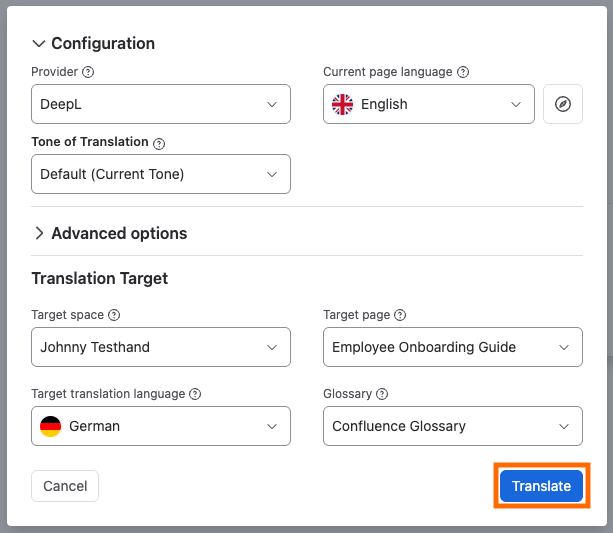
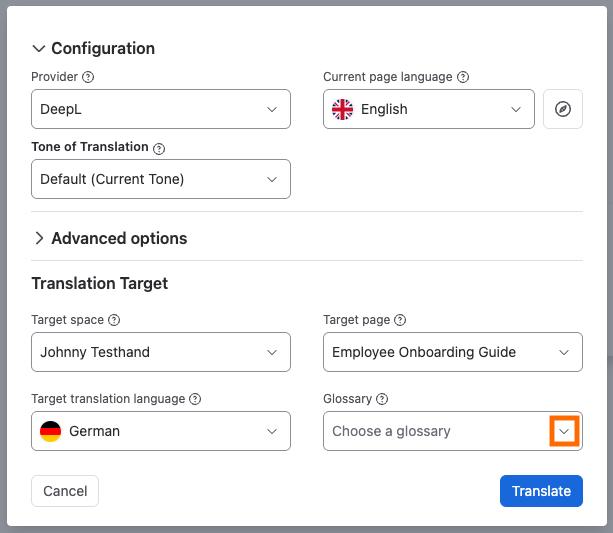
Step 1: While setting up the translation target configuration for a page, choose a preconfigured glossary from the dropdown.
Glossary Dropdown | Image
Step 2: Translate
Translate | Image