
Dropdown sets define the selectable values used inside Easy Dropdown Menu macros.
Two types exist:
-
Predefined Sets — simple text values
-
Status Sets — values with color and style
You can create and manage sets in both global and space configuration.
Create a Set
-
Open the configuration page
-
Go to Predefined Sets or Status Sets
-
Click Add entry
-
Enter a name
-
Add options
-
Click Save
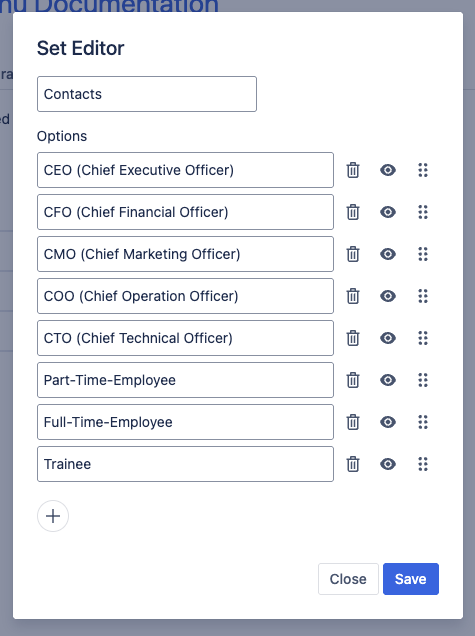
Edit a Set
Open a set using Edit.
You can:
-
Rename the set
Change the name in Set Name -
Add options
Add new selectable values -
Modify options
Change existing values -
Reorder options
Drag & drop to change order -
Disable options
Hidden options remain on pages but cannot be selected anymore -
Delete options
Remove unused values
Edit a Set | Image
Status Options
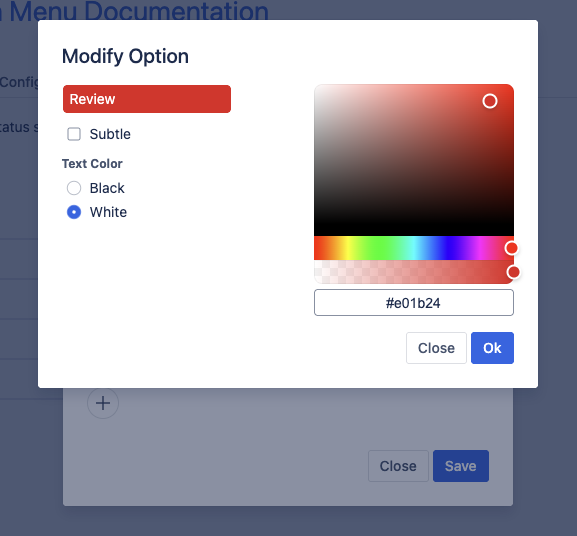
Status sets additionally allow configuration of:
-
Background color
-
Text color
-
Invert style
Status Option | Image
View Usage
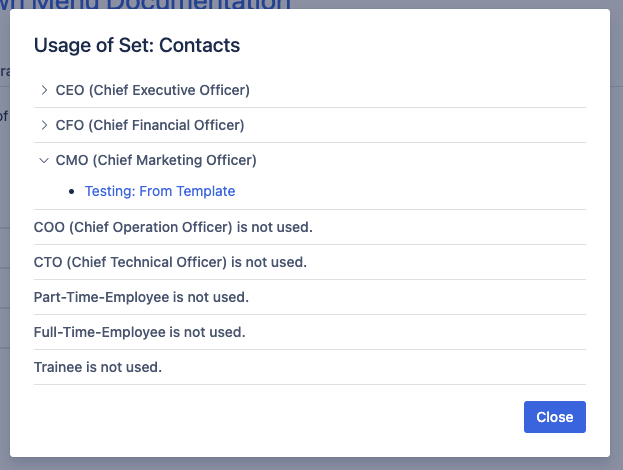
Use Show Usage to see where a set is used.
View Usage | Image
History & Restore
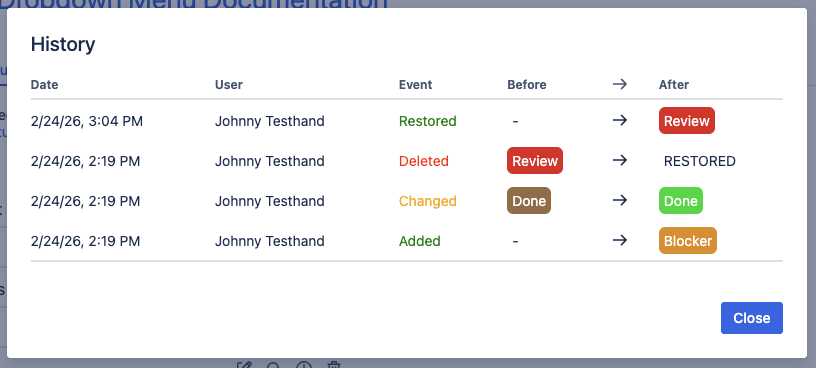
The History dialog shows recent changes and allows restoring deleted options.
History & Restore | Image
Important Notes
-
Options use unique IDs internally
-
Recreating an option with the same text does not restore existing values
-
Renaming used options requires reindexing
-
Deleting used options removes the value from pages