
Easy Dropdown Menu integrates with the Page Property Report macro.
When a dropdown is placed inside a Page Properties macro, its selected value becomes searchable and filterable.
This allows you to build dynamic overview pages such as project dashboards, task lists, or approval boards.
Prepare Pages for Filtering
To make a dropdown value appear in reports:
-
Edit a page
-
Insert a Page Properties macro
-
Place any Easy Dropdown Menu macro inside it
-
Publish the page
-
Add a label to the page
The value is automatically indexed and becomes available for filtering. Works with all EDM macros (Predefined, Not Predefined, Edit Mode, Status)
Add Filters to the Report
-
Create or edit a page containing a Page Property Report macro
-
Open the macro settings
-
Click Add filter
-
Select one of the EDM filters
-
Enter the value you want to search for
Available Filters
|
Name |
Description |
|---|---|
|
EDM All Dropdowns |
Filter by value for all Dropdown macros |
|
EDM Dropdown |
Filter by value for Easy Dropdown Menu Predefined, Not Predefined and Edit-Mode macros |
|
EDM Dropdown 2 |
Filter by value for Easy Dropdown Menu Predefined, Not Predefined and Edit-Mode macros |
|
EDM Dropdown 3 |
Filter by value for Easy Dropdown Menu Predefined, Not Predefined and Edit-Mode macros |
|
EDM Dropdown Fuzzy |
Filter for a rough match by value for Easy Dropdown Menu Predefined, Not Predefined and Edit-Mode macros |
|
EDM Status |
Filter by value for Easy Dropdown Menu Status macros |
|
EDM Status 2 |
Filter by value for Easy Dropdown Menu Status macros |
|
EDM Status 3 |
Filter by value for Easy Dropdown Menu Status macros |
|
EDM Status Fuzzy |
Filter for a rough match by value for Easy Dropdown Menu Status macros |
Filter Logic
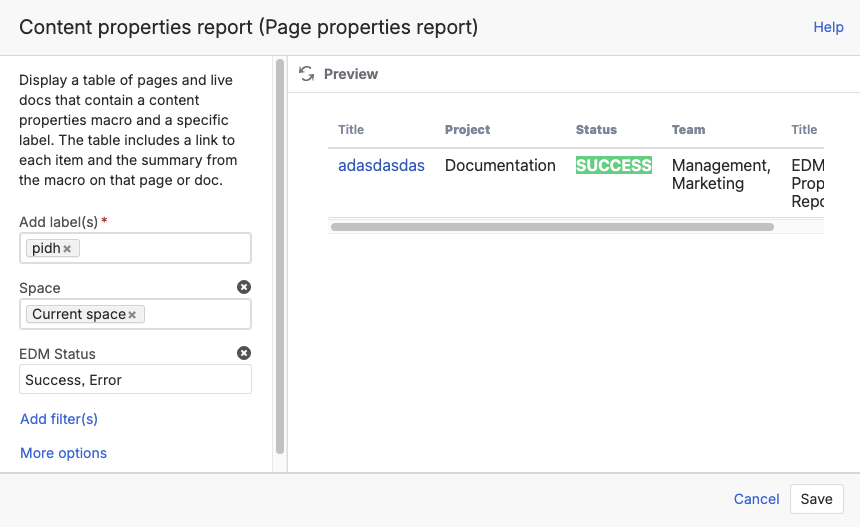
Normal Filter
OR (any value matches)
Separate values with commas:
In Progress,Blocked
Filter with OR query | Image
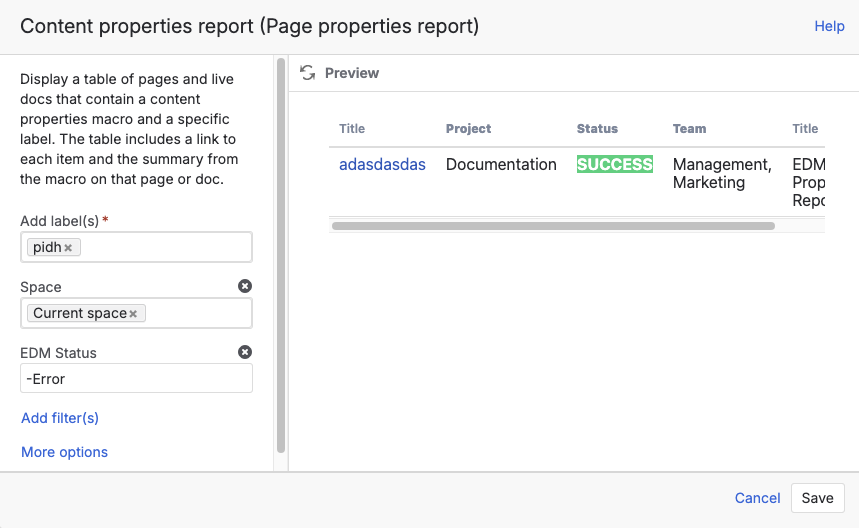
NOT (exclude values)
Prefix a value with -:
-Done
Filter with NOT query | Image
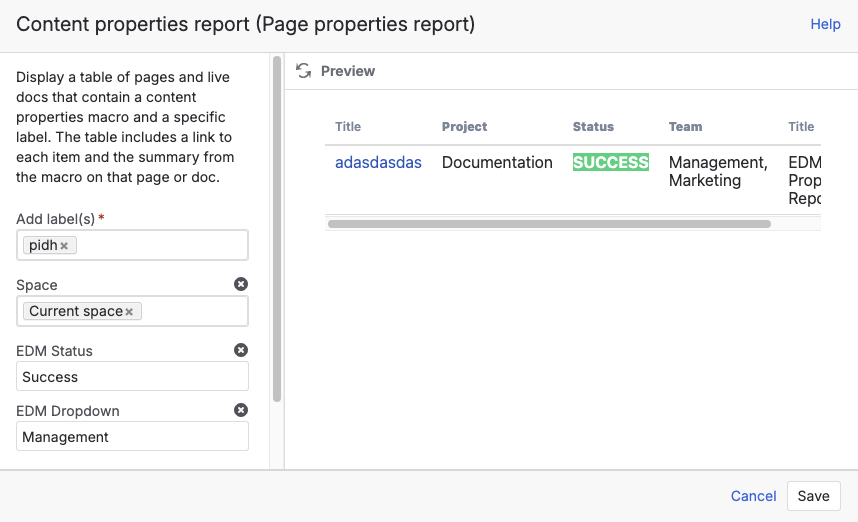
AND (all conditions must match)
For a logical AND, please use multiple filters together.
Filter with AND query | Image
Editing Values from the Report
If Reference Lock is disabled, changing a dropdown inside the report also updates the original page automatically.
If Reference Lock is enabled, the value cannot be edited from the report.