
Confluence administrators can access the Instance Link Checking page in Confluence Administration.
This page allows you to run a link check across the entire Confluence instance.
Navigation:
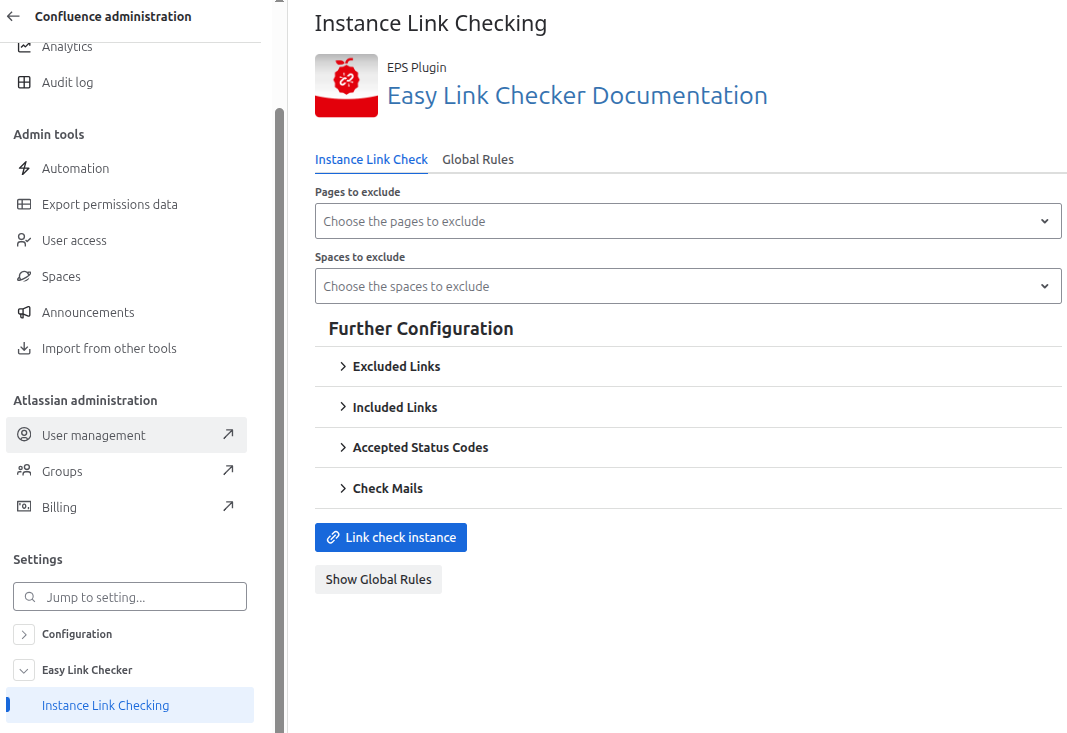
Go to Confluence Administration (⚙️) → Easy Link Checker → Instance Link Checking
Non-administrators cannot open the Instance Link Checking page, but they can still use the instance link check macro.
Configuration
The two main options of the instance link check are the selection of Pages to exclude and Spaces to exclude. All pages and spaces except the selected ones are link-checked.
Take a look at Further configuration to see how the additional options can be configured.
Instance link check configuration | Image
Results
After the link check is performed, the detailed results get displayed.